How to Install BeamNG.Drive Car Mods?
We will explain step by step how to install new car mods you download for BeamNG.drive.
If you own the game on Steam, you can use the following path:
C:\ProgramFiles\Steam\steamapps\common\BeamNG.drive\content\vehicles
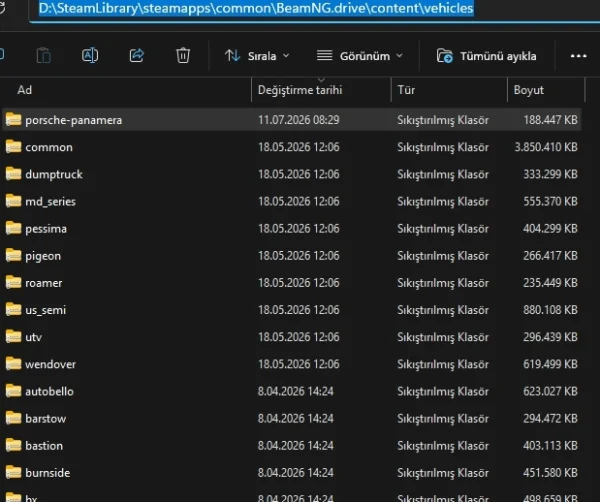
Copy the BeamNG.drive mods you downloaded as ZIP files into the content > vehicles folder located in the game’s installation directory.
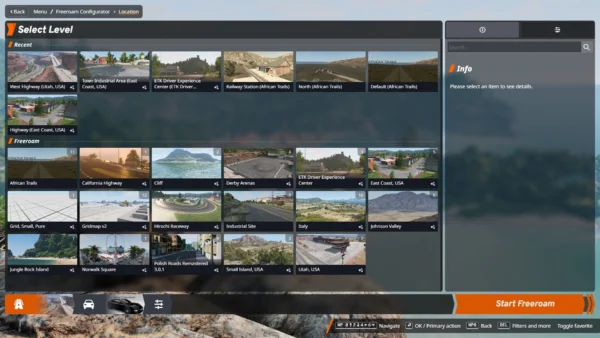
Then launch the game and select Freeroam from the main menu. Choose the map you want to play on.
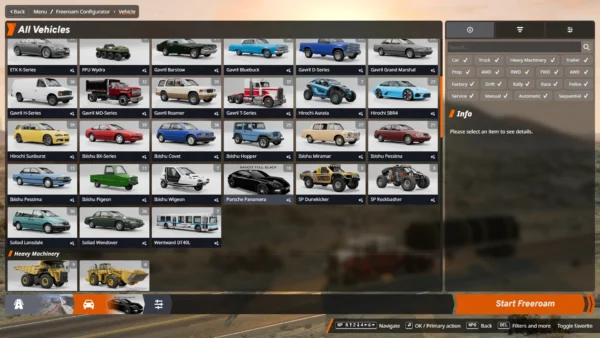
The mod you added will then appear on the All Vehicles screen. Select the car from the list to use it in the game.
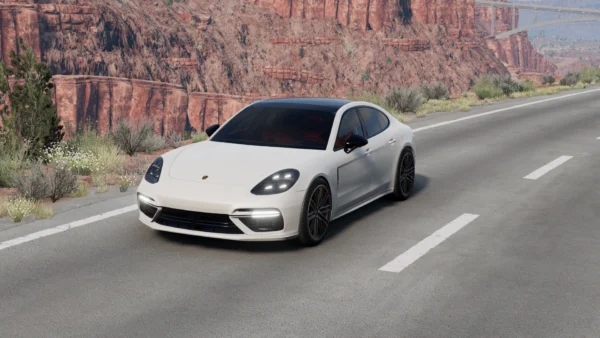
If you crash while playing, press the R key to reset your current vehicle.
To change your vehicle during the game, go to ESC > Vehicles, then select a new car from the list.
If you want to install a map instead of a vehicle, place the ZIP file in the content > levels folder.
C:\ProgramFiles\Steam\steamapps\common\BeamNG.drive\content\levels
This post was updated on 11 July 2026 18:14.